
The short answer is no, there are no absolutely free card readers for small businesses – but you have so many options when it comes to devices, rates, and features that you can select the most cost-effective setup for your needs.
The key is to understand how these options affect the amount you’ll end up paying over the long term. For example, a pricey monthly subscription might work out cheaper than a free plan with no monthly costs if you’re a high-volume business.
Below, we unpack flat rates vs custom pricing, the pros and cons of pay-as-you-go vs subscriptions, take a look at some of the cheapest card readers for your small business.
Do all card reader providers charge a monthly fee?
Monthly fees are common, but many card reader providers simply charge a one-off payment for the device and then pay-as-you-go transaction fees.
It’s worth noting that a monthly charge doesn’t always mean you’re renting the machine. Some devices that are available to buy outright offer both pay-as-you-go and subscription models. With the former, you essentially pay per transaction. With the latter, as well as transaction fees, you pay a fixed monthly amount in exchange for reduced rates and perks like, for example, 24/7 support.
Should I choose pay-as-you-go or pay monthly? Pros and cons
The key thing to understand is that there’s no one-size-fits-all answer to this question. As well as comparing one-off device costs to ongoing monthly costs, you need to calculate how much you’ll pay in transaction fees over the long term based on your sales volume. If you’re a high turnover business and can access lower or bespoke rates with a pay-monthly model, it could work out cheaper than pay-as-you-go.
Pros of pay-as-you-go
- You don’t have to pay ongoing monthly fees, so it doesn’t matter if you have slow sales months
- You’re not tied into a contract
- Transaction fees are typically a flat rate, which makes costs predictable and uncomplicated
Cons of pay-as-you-go
- Pay-as-you-go transaction fees can be higher than subscription models
- Costs can really add up if you start to process a high volume of payments
Pros of paying monthly
- Enables you to access lower or bespoke transaction fees – great for high-volume businesses
- Some providers offer perks like next-day terminal replacement as part of the subscription
Cons of paying monthly
- Even if your sales dip, you still have to pay the monthly fee
- Transaction fees can be variable and less transparent
- You could be tied into a contract for 12-18 months or have to pay an exit fee if you cancel early
- There may be hidden fees for setup, maintenance and add-ons
Are you unsure about how to accept card payments for your business? Check out our short guide:
The best value card readers for small businesses
The cheapest card readers are the ones that give you the most flexibility over how you pay, and therefore the best value. That means, for example, if you already have or expect to have a high turnover, you have the option to save with customised rates. On the other hand, if your sales are seasonal or less steady, you’re better off paying a flat, predictable rate on a pay-as-you-go model.
>See also: Why businesses should go cashless: pros and cons
Square

Device cost: Currently £19
Monthly fee: None
Transaction fees: From 1.75% (in-person payments using a UK card)
The beauty of Square lies in its simplicity. There’s no subscription fee, and transaction rates start at a flat rate of 1.75% for in-person chip-and-PIN and contactless or 2.5% for online. You can accept payments on iPhone and Android with Tap to Pay (meaning no device costs or monthly costs), or use the Square Reader, a pocket-sized device that accepts all major card and payment types and costs just £19. Funds settle the next day, or you can pay a small fee for instant settlement.
It comes with Square POS, a free and customisable software that you can enhance with add-ons like loyalty, marketing, and team management tools. Data security, 24/7 fraud prevention and payment dispute management are also included as standard, and custom rates are available if you process £200k per year.
Flatpay

Device cost: None
Monthly fee: None
Transaction fees: Flat rate of 1.49%
Flatpay is a cost-effective option for growing businesses because it keeps pricing simple and avoids many of the extra charges that can make card payment providers more expensive. Its standard transaction rate is 1.49%, with no upfront costs and no ongoing monthly fees, making it easier to forecast what you’ll pay as your sales increase.
The daily payout schedule also supports your cash flow, as you don’t wait long for takings to reach your account. And if your annual sales exceed £200,000, Flatpay offers custom rates, giving higher-volume businesses the chance to negotiate a lower transaction fee.
This makes Flatpay particularly appealing if you want a low-cost payment solution without sacrificing support.
Revolut Business

Device cost: From £129 + VAT
Monthly fee: None
Transaction fees: From 0.8 per cent + 2p (UK consumer cards), 1 per cent +20p for in-person
Revolut charges just 0.8% + 2p on UK consumer card transactions, with no monthly subscription fees, making it especially competitive for businesses that process lots of payments.
Those lower transaction fees can add up to significant savings over time, particularly if you’re taking regular card payments throughout the day. Revolut also settles funds into your account within 24 hours, which helps to keep your cash flowing.
Revolut offers sales analytics to help you track performance, digital tipping, colour-coded products and categories for your store catalogue, and an all-day battery. It also says payments can be accepted in under three seconds.
At the moment, you can get a £100 welcome bonus when signing up to Revolut Business through Small Business. You need to onboard via the link below to qualify. The offer ends on 31/12/2026. Fees, promotional terms and T&Cs apply.
Get started with Revolut Business
Worldpay

Device cost: N/A
Monthly fee: £15 to £22 per month
Transaction fees: Custom or 1.50% (depending on tariff)
Worldpay offers payment terminals for rent and gives businesses the choice of three different tariffs: a Custom pricing option, Simplicity pricing, and fully tailored pricing. Hire agreements are for 18 months as standard, and you benefit from next-day terminal replacement.
Custom pricing – for businesses exceeding £75k in annual card turnover – offers variable transaction fees and free next-day settlement. The monthly hire fee is £15, and you may have to pay premium transaction charges.
Simplicity (£22.50 per month) bundles costs into a single fixed and transparent transaction fee of 1.50%. There’s no minimum monthly service charge, authorisation fee or premium transaction charges.
Tide Card Reader

Device cost: From £0 to £199
Monthly fee: From £0 to £24.99
Transaction fees: From 0.69%+5p (domestic consumer debit cards)
Tide’s big advantage is the flexibility it offers you over how to pay for your card reader. There are three options: Pay As You Go, Sell In-Person (rent device) and Sell In-Person (buy device). Or, like Square, you can turn your smartphone into a free card reader with Tap to Pay, with fees starting from 1.5% + 11p per transaction. Tide estimates that you stand to save with Sell In-Person if you take £2,200 in domestic card payments. Just be aware that the rental option is only available to existing Tide members who are registered businesses.
Pay As You Go
- Device cost: From £159
- Monthly fee: None
- Transaction fees: From 1.39%+5p (domestic consumer debit cards)
Sell In-Person (rent device)
- Device cost: £0
- Monthly fee: £24.99
- Transaction fees: From 0.69%+3p (domestic consumer debit cards)
Sell In-Person (buy device)
- Device cost: From £99
- Monthly fee: £12.99
- Transaction fees: From 0.79%+5p (domestic consumer debit cards)
Funds clear in one to three business days, or you can pay just £2.99 + VAT per month to receive next-day payouts.
TakePayments

Device cost: Custom depending on model (contact provider)
Monthly fee: None
Transaction fee: Reported to be between 0.3%-2.5% + flat fee
takepayments isn’t as forthcoming about its costs and fees as Square and Tide, but that’s because its pricing is personalised to your business. After you’ve enquired, you’ll meet a specialist, who will tailor a package to your preferences and expected turnover, including all fees and device rental costs. That makes it easy to access optimal rates and avoid paying for specs or benefits you don’t need. Contracts are 12 months as standard, and all takepayments customers enjoy next-day settlement.
takepayments currently has a 5-star rating on Trustpilot from over 63,000 reviews, with customers praising its friendly and knowledgeable staff and personalised service.
SumUp
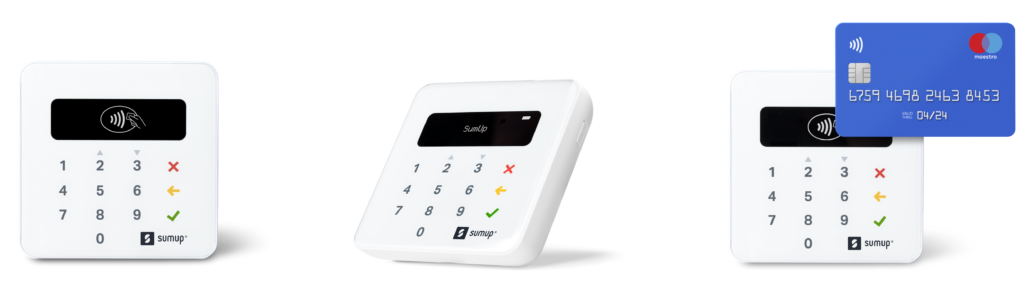
Device cost: From £25 + VAT
Monthly fee: From £0 to £19
Transaction fees: 1.69% or 0.99% with Payments Plus subscription
SumUp’s pricing and model are similar to Square’s. It offers Tap to Pay on iPhone and Android, with transaction fees at a flat rate of 1.69% for in-person payments and no monthly cost. All you need is the SumUp app to get started. SumUp also offers a subscription plan, Payments Plus, which includes 24/7 priority support, free card reader replacements, and a rate of 0.99% – ideal if you take more than £3,000 per month.
You can use the SumUp app to access detailed business insights and other useful tools for free. SumUp promises next-day settlement as early as 7am, including on weekends and holidays.
Compare card payment machine quotes
Dojo Go
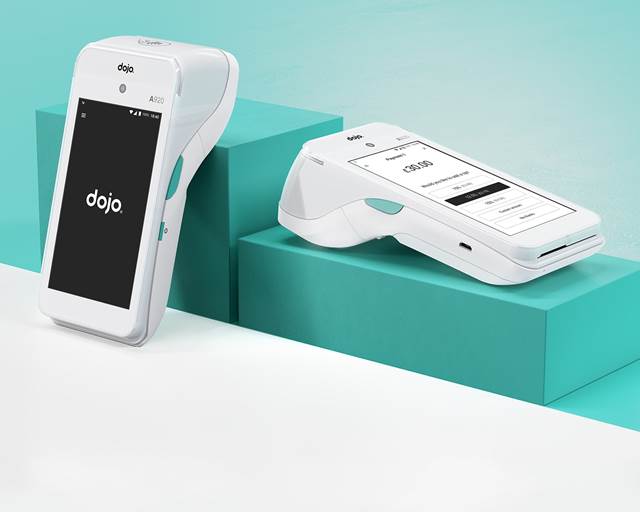
Device cost: £109 upfront or £15 per month
Monthly fee: £0 to £39.99
Transaction fees: Included in monthly cost up to £3,999, then 1% (or custom for larger businesses)
DoJo is a great option if you’re looking to be cost-effective, especially if you’re scaling with customisable hardware and pricing to suit your needs.
There’s a Tap to Pay option, of course; otherwise the device costs £109 upfront, which is a little pricier than some of our other machines, but it does come with comprehensive back office tools, integrates seamlessly with your EPOS, and offers next-day payments by default (even on weekends and holidays). Alternatively, if you take over £100k a year, you can spread the cost starting from £15 per month.
Rates come in three packages.
- If you take under £100k per annum, you pay £39.99 per month, which covers transaction fees for takings of up to £3,999. Anything over that is charged at 1%.
- Growing businesses can access tailored pricing on Flex.
- Or if your turnover exceeds £1m per annum, choose Pro for a fully bespoke deal.
That’s not the end of the picture, however. You also need to choose a Dojo plan, which covers features and perks. The choices are Essentials, which is free and comes with UK-based support and simple integrations and transaction tracking; and Plus (£11.99 per month per location, which offers advanced tools and payments features, including bill splitting, real-time reports, and remote refund processing.
Compare card payment machine quotes
PayPal Reader
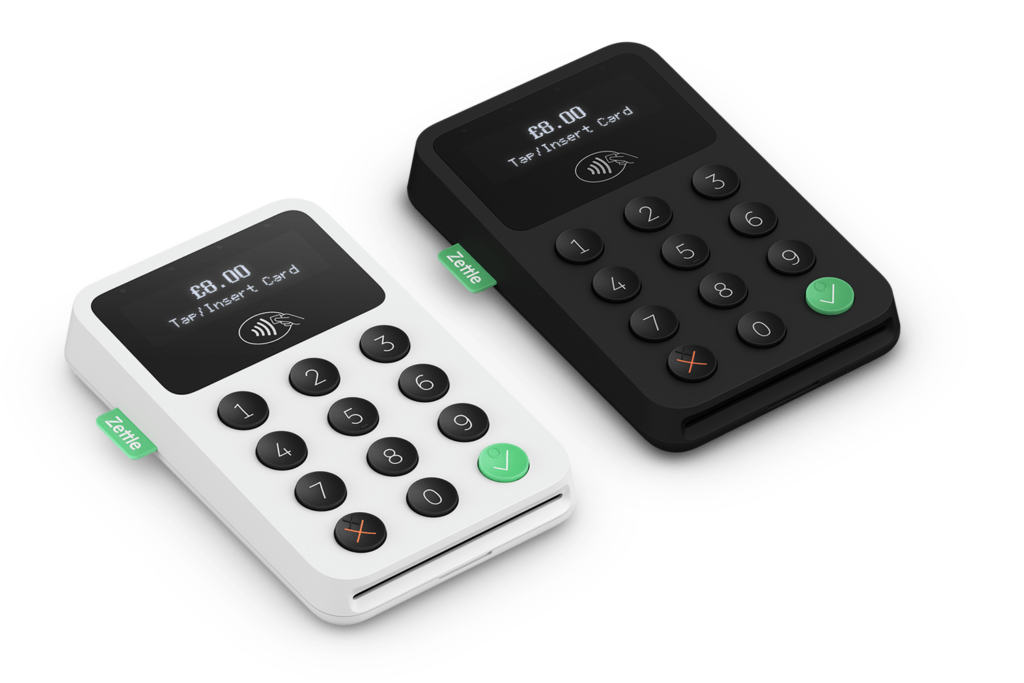
Reader price: From £29 + VAT
Monthly fee: None
Transaction fee: 1.75 per cent per transaction, 1.75 per cent for PayPal and QR codes, 2.5 per cent for Payment Links, 2.5 per cent for Zettle invoices
The PayPal card reader offers straightforward pricing with no monthly fee. It reader supports chip-and-PIN, contactless payments, PayPal payments, and QR codes, all charged at a flat rate of 1.75%. Online payment tools, such as Payment Links and invoicing, are priced at 2.5%.
While it doesn’t have the pricing flexibility offered by some of our best value card readers, PayPal’s strength lies in its predictability and ease of use.
Compare card payment machine quotes
>See also: Best payment apps for small businesses
Lopay
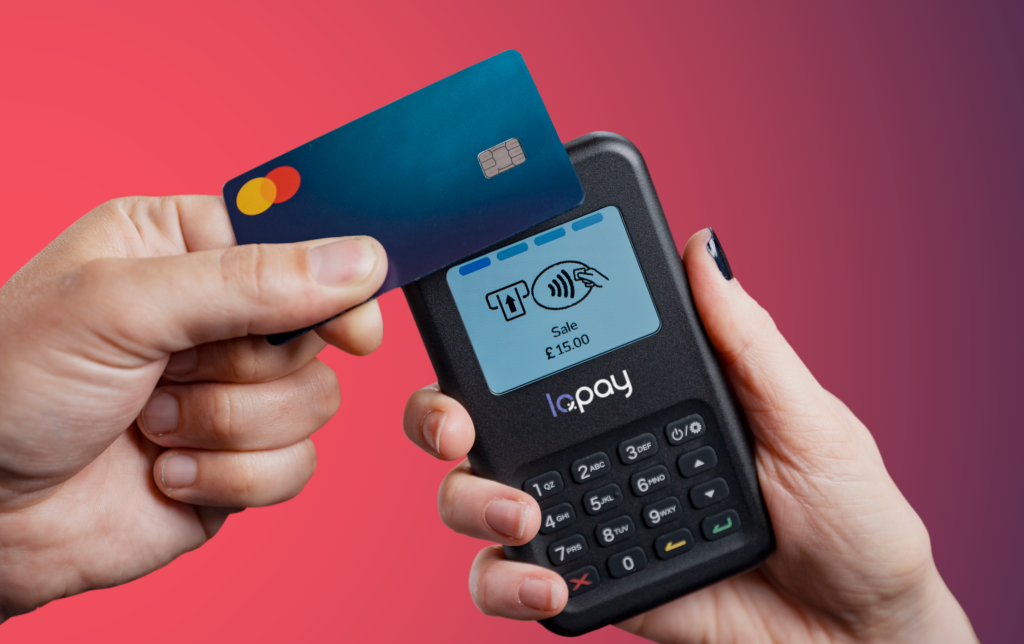
Reader price: £24 plus P&P and £49 plus P&P for additional card readers
Monthly fee: None
Transaction fees: From 0.79%
Lopay is an interesting choice for small businesses. It offers Tap to Pay on iPhone and Android, with no upfront or monthly fees. And its mobile card reader is priced at a competitive £24 (additional readers cost £49). What sets it apart is its multiple pricing plans. There are three, each offering different transaction rates and perks.
Here’s a breakdown.
- Essential: 0.79% per transaction
- Standard: 0.99% per transaction, with instant access to your earnings.
- Instant to bank: 1.79%, with instant payouts anytime.
Lopay doesn’t publicly disclose all its pricing for each plan, so speak to sales if you’re interested.
Compare card payment machine quotes
Which card reader should I buy?
Which low-cost card reader you go for is up to you but remember that factors beyond price come in here too. Think about your functionality needs such as tableside payments if you’re a restaurant or increased Amex payment fees if you take a lot of payments from customers who use American Express.
Find a payment provider today
Simply fill in the free merchant account quote form here and answer a few questions (it takes less than a minute).
Receive free quotes from suppliers that may meet your requirements
Read more
Best payment processors for UK small businesses – 11 of the best